
Aesthetic Font Generator: Copy & Paste
Our aesthetic font generator turns any name, bio or caption into aesthetic text styles as you type. Pick the vibe you like below and copy it in one tap.
Intro:
Want your social media to stand out? Our free aesthetic font generator instantly transforms your Instagram, WhatsApp, and TikTok text — works on almost every platform, no complicated settings, just pure copy-and-paste aesthetic fonts. Express your mood with 190+ custom styles, from cute to gothic to vaporwave.
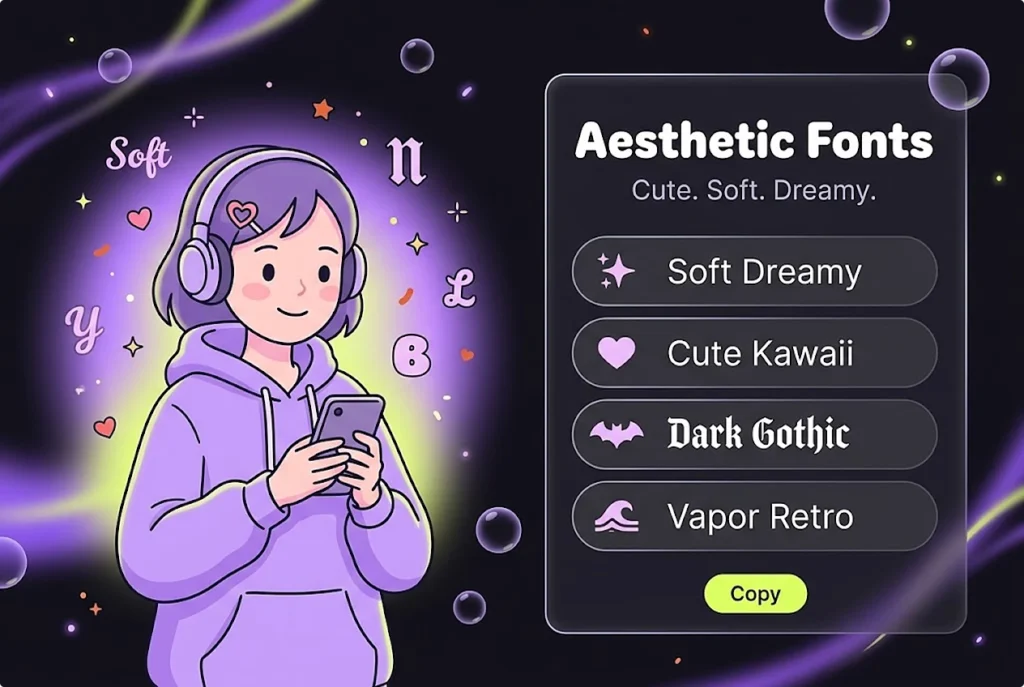
What Are Aesthetic Fonts, Really?
Aesthetic fonts are decorative text styles created from real Unicode characters, resembling different looks like bold, italic, and vaporwave. A “Bold” letter you copy from this aesthetic font generator is technically a different character — not the same as applying normal bold formatting in a text editor — which is exactly why it works when pasted into a bio, caption, or chat that doesn’t support formatting. If you searched “tulisan aesthetic” or “huruf aesthetic,” you’re in the right place too — this works the same for Indonesian text.
How to Use the Aesthetic Font Generator, Step by Step
Type or paste your text
Enter a name, username, bio, caption, or any short message into the input box. It works with letters and common punctuation.
Browse or search for a style
Scroll through the style cards, or use the search bar if you already know the style you want (like “gothic” or “bubble”). You can also filter by category to narrow things down.
Copy your favorite
Every style updates instantly as you type, so you’ll see all 190+ variations generate in real time, no waiting or loading.
Paste it anywhere
Click the copy button, then paste your styled text into your bio, caption, username, or any app that accepts text.
190+ Styles in Our Aesthetic Font Generator — Every Vibe Covered
This aesthetic font generator offers 190+ styles organized into distinct categories, so you can find the exact vibe you’re after instead of scrolling endlessly. Whether you want something soft and dreamy or bold and edgy, there’s a category built for it — browse them below.
Classic Unicode Styles
These are your most versatile styles: Bold, Italic, Bold Italic, Cursive, Elegant Script, Gothic, Double-Struck, and Monospace. They’re widely supported across most modern devices and platforms, work well at any text length, and are the safest pick for everyday use — bios, captions, usernames, or anywhere you want a clean, classic look.
Cute & Kawaii Fonts
Looking for a cute font that actually feels kawaii? This category wraps your text in adorable symbols — cat faces, pandas, ribbons, hearts, and sweet treats like donuts and candy — instead of changing your letters, so it works in any language, not just English. If you searched teks keren, this is exactly that playful, eye-catching vibe. Perfect for bios, usernames, or captions that want to feel soft and fun rather than serious.
Coquette Font Styles
Coquette is all about soft, romantic detail — think ribbons, hearts, and delicate touches rather than bold statements. This category wraps your text in gentle symbols like ribbons and sparkling hearts, giving off that dreamy, feminine energy that’s trending across bios and captions right now.
Pretty & Girly Fonts
Where Coquette leans romantic, this category leans floral and sparkly — roses, blossoms, and gemstone symbols wrapped around your text for a naturally pretty, girly look. Great for anyone who wants their name or caption to feel a little more delicate without going full soft-and-dreamy.
Gothic & Medieval Styles
Beyond the classic Gothic font, this category brings medieval-inspired symbols into the mix — crowns, skulls, crossed swords, castles, and dragons wrapped around your text for a darker, royal aesthetic. Perfect if your vibe leans more “kingdom” than “cute.”
Vaporwave & Retro Styles
Vaporwave brings back that wide-spaced, full-width retro internet look — the aesthetic that defined a whole era of online design. One click transforms your text into that nostalgic, spaced-out style instantly.
Boxed & Framed Text
This category turns each letter into its own boxed character, giving your text a clean, structured, almost stamped look. Great for usernames or short phrases where you want every letter to stand out individually.
Special Effects
From strikethrough and underline to upside-down and mirrored text, this category covers the fun, attention-grabbing tricks — the kind of styling that makes people stop scrolling to figure out how you did it.
Decorative Borders & Symbol Frames
Instead of changing your letters, this category wraps your entire message in decorative frame symbols — from clean geometric brackets to ornate corner styles — giving your text a finished, boxed-in look without touching the font itself.
Soft & Dreamy Style
For a softer, more ethereal vibe, this category uses gentle imagery — clouds, crescent moons, and starry skies — wrapped around your text, perfect for a calm, dreamy aesthetic rather than something bold or loud.
Bold & Confident Style
When you want your text to command attention, this category brings the energy — fire, lightning, trophies, and target symbols wrapped around your words for a powerful, stand-out look that says confidence.
Platform Guide: Where and How to Use This Aesthetic Font Generator?
Wherever you post, this aesthetic font generator’s styles carry over the same way — here’s what works best on each platform.
Aesthetic Font Generator for Instagram Bio
For an elegant instagram bio font, try Cursive — 𝓒𝓾𝓻𝓼𝓲𝓿𝓮 𝓑𝓸𝓵𝓭 — for a romantic feel, or Small Caps when you want an instagram font style that stays clean and easy to read on mobile. Use your chosen instagram stylish font sparingly and consistently, and preview it in both light and dark mode before saving it to your bio, display name, or caption.
Aesthetic Font Generator for TikTok
TikTok’s vertical feed rewards a bio and username that reads instantly, so Bold & Confident or Vaporwave & Retro styles tend to stand out more than dense symbol wraps that can look cluttered at small sizes. TikTok renders pasted Unicode the same way in your bio, video captions, and comments, so a styled name carries over consistently whether someone’s watching your profile or scrolling your latest post.
Aesthetic Font Generator for WhatsApp
WhatsApp has no built-in font picker, which is exactly why a Unicode-styled display name, status, or group name works there at all — it shows up the same on both ends of the chat without needing any app update. Because WhatsApp names and statuses are read at a glance in a crowded chat list, cleaner styles like Small Caps or Bold hold up better than heavier decorative wraps, which can get clipped if the field runs out of room.
Aesthetic Font Generator for Discord
Discord usernames, server nicknames, and channel names all accept styled Unicode, which is why aesthetic fonts are common for server branding as well as personal profiles — a Bold or Gothic username helps a member stand out in a busy list, while Boxed & Framed or Decorative Borders styles get used for server names and pinned announcements. Since Discord nicknames have a length limit, longer decorative styles fit better in an “About Me” section than in the nickname field itself.
Aesthetic Font Generator for Gaming (Free Fire, PUBG, Fortnite, Roblox)
In games like PUBG, Fortnite, and Roblox, a styled in-game name is one of the few ways to stand out on a leaderboard or squad list, and Gothic, Bold, or symbol-framed names tend to stay readable even at the small font size most games use for player tags — and since these are just Unicode characters, they paste into any game’s name field with no in-game purchase or unlock needed. Free Fire has its own naming conventions and clan-tag formatting worth covering in more depth, so see the dedicated Free Fire Name Style guide for game-specific templates rather than repeating that here.
Why This Aesthetic Font Generator Works on Every Platform — The Technical Truth
Aesthetic fonts work everywhere because they’re just Unicode text, not custom font files — your device maps each character to its glyph the same way it renders any other letter, so a styled name pastes in correctly on Instagram, WhatsApp, Discord, or a game’s name box. That’s also why a font ig you copy from here renders correctly the moment you paste it. The one honest limitation is that very old phones or outdated Android/iOS versions may not have every Unicode block installed, so rare symbols can occasionally show as a box or question mark. Small Caps and Cursive hold up fine almost everywhere; it’s the denser decorative styles worth previewing first on old hardware.
Frequently Asked Questions
Conclusion
Now that you know which style fits your platform and mood — a clean Small Caps for Instagram, a bold pick for TikTok, or gothic drama for your gamer tag — the only thing left is to try it. Pick a category above in this aesthetic font generator, generate your style, and paste it in.